
Bet Online at Nicebet: How to Register an Account
Getting started with Nicebet is as easy as placing your first wager! Follow this quick guide and you’ll be up and part of the cool community of players in Liberia.
To register your account
-
1
Visit Nicebet
Head to the Nicebet site on your mobile device, desktop or tablet. You’ll see a “Register” button at the top of the page — click on it to begin.
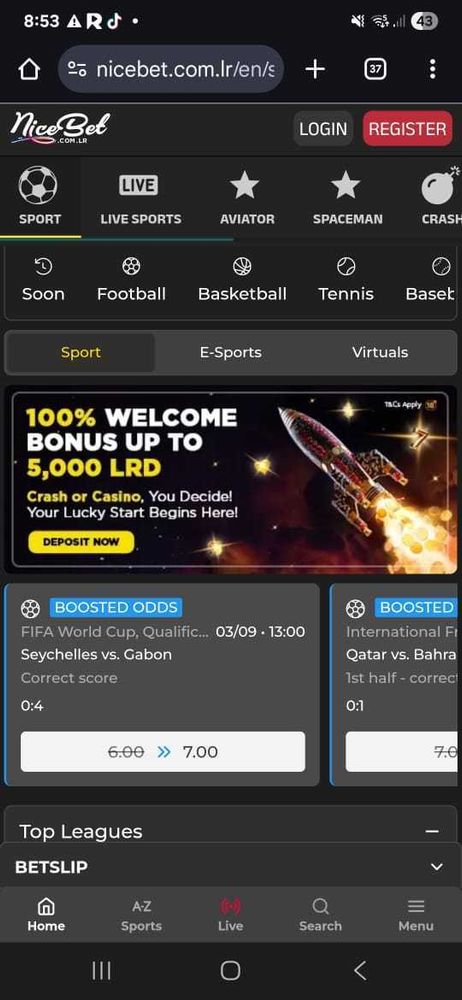
Tap “Register” -
2
Enter Your Details
Enter your phone number, choose a secure password, then repeat it. Pick your currency, then check the box “I declare that I am over 18 years old” to accept the terms and conditions — make sure you’ve read them beforehand.
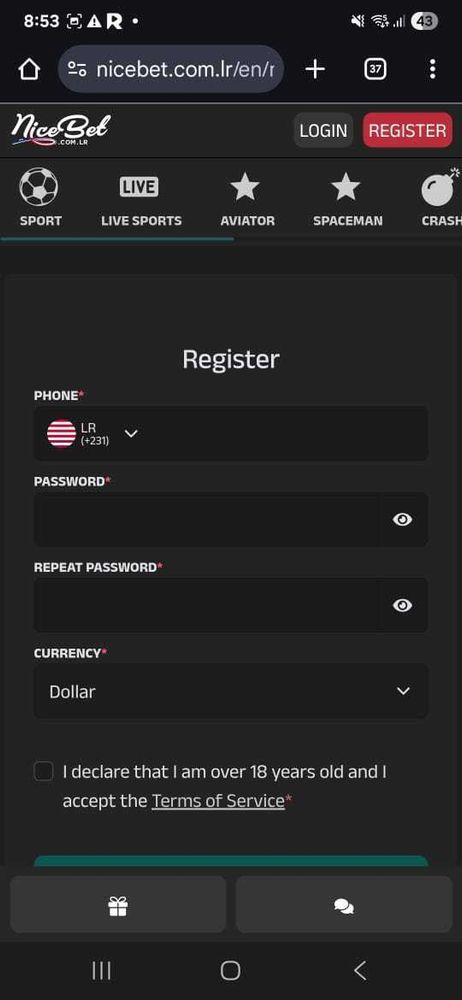
The registration form -
3
Verify Your Phone
An Account Activation window will pop up. Confirm your number and tap “Verify your phone”.
This step keeps your account safe and lets you deposit funds instantly via mobile-money options available in Liberia, such as Orange Money or MTN Mobile Money.
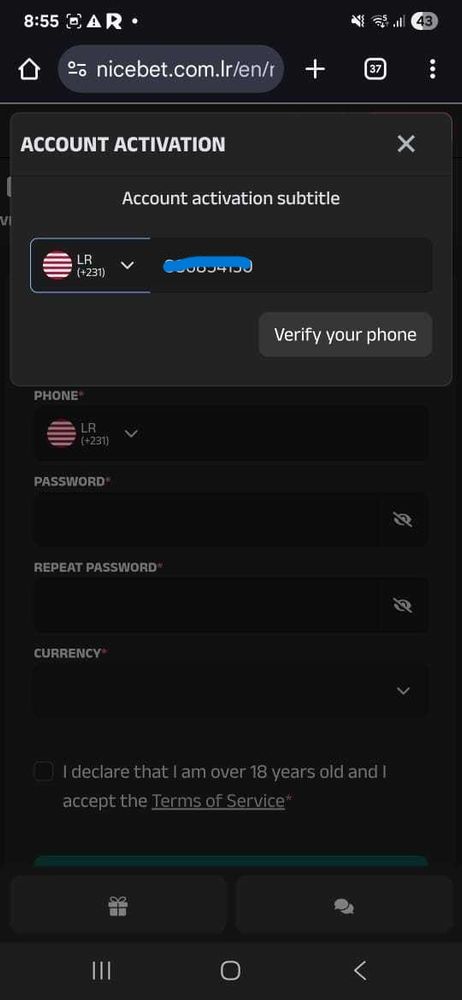
Tap “Verify your phone” -
4
Accept Terms & Complete Registration
Read through Nicebet’s Terms & Conditions, then check the box to agree. Hit “Register” — congratulations, you’re officially a Nicebet member!
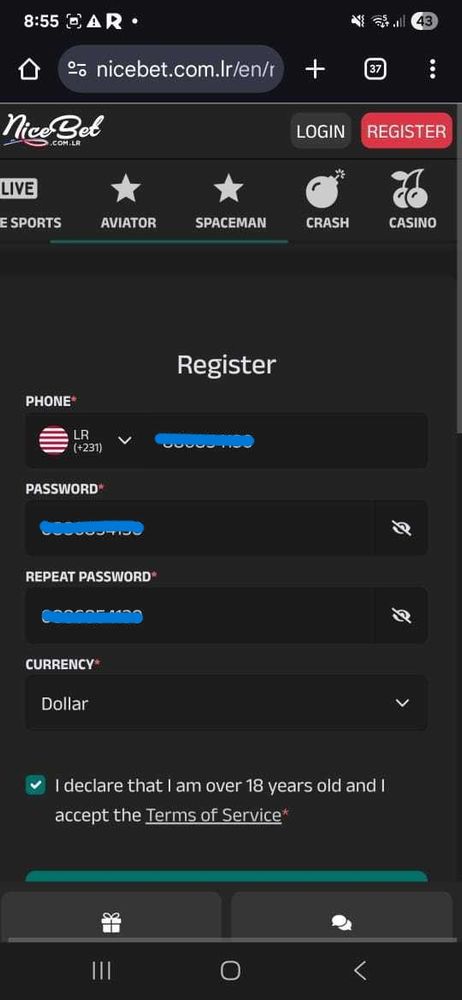
Check the box, then register -
5
Make Your First Deposit
Head to the “Deposit” section and make your first deposit so you can bet online on sports, virtual games, or casino titles right away.
See how to deposit
Start playing
It’s time to dive into thrilling crash games, fun live tables, and all your favorite casino classics. You can also bet on sports — from football and basketball to Zoom Soccer and beyond!